
Invoices and claims from the visits that actually happened
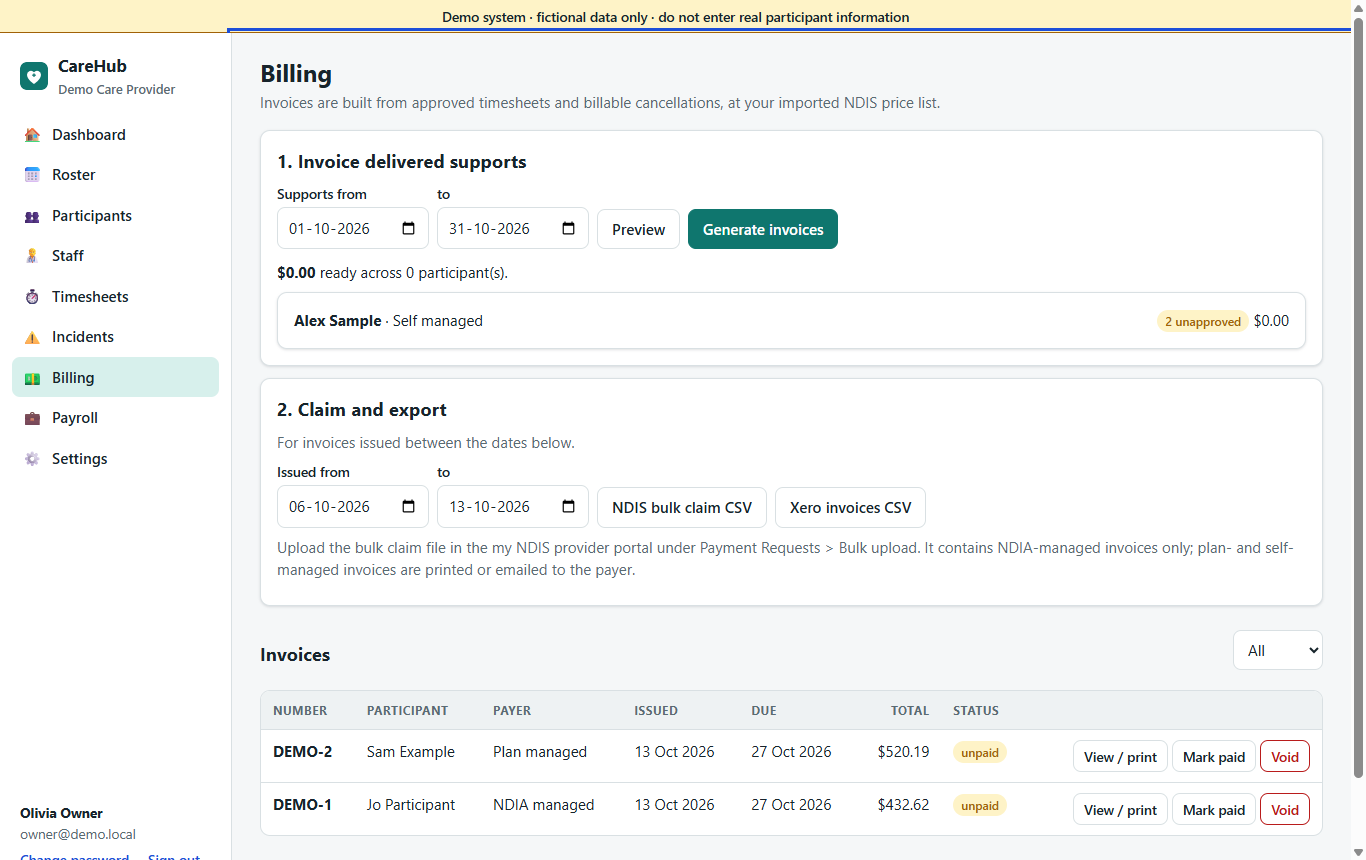
Approved timesheets are the single source. The price, the time band and the funding left are worked out from the same clock times, in your state's time zone.
The right item number and price, every time
- Price lists by date: import the official NDIS Support Catalogue (the spreadsheet or CSV). Each import is a version with the date it takes effect, reviewed as a list of changes before you switch it on. A visit is priced from the version in force on its date.
- Zones: National, Remote or Very Remote prices by participant; agreed prices per participant where you charge less.
- Time bands: weekday daytime, evening and night, Saturday, Sunday and public holidays are applied automatically.
- Group supports billed as each participant's share; short-notice cancellations billed with the NDIS reason code under rules you set.
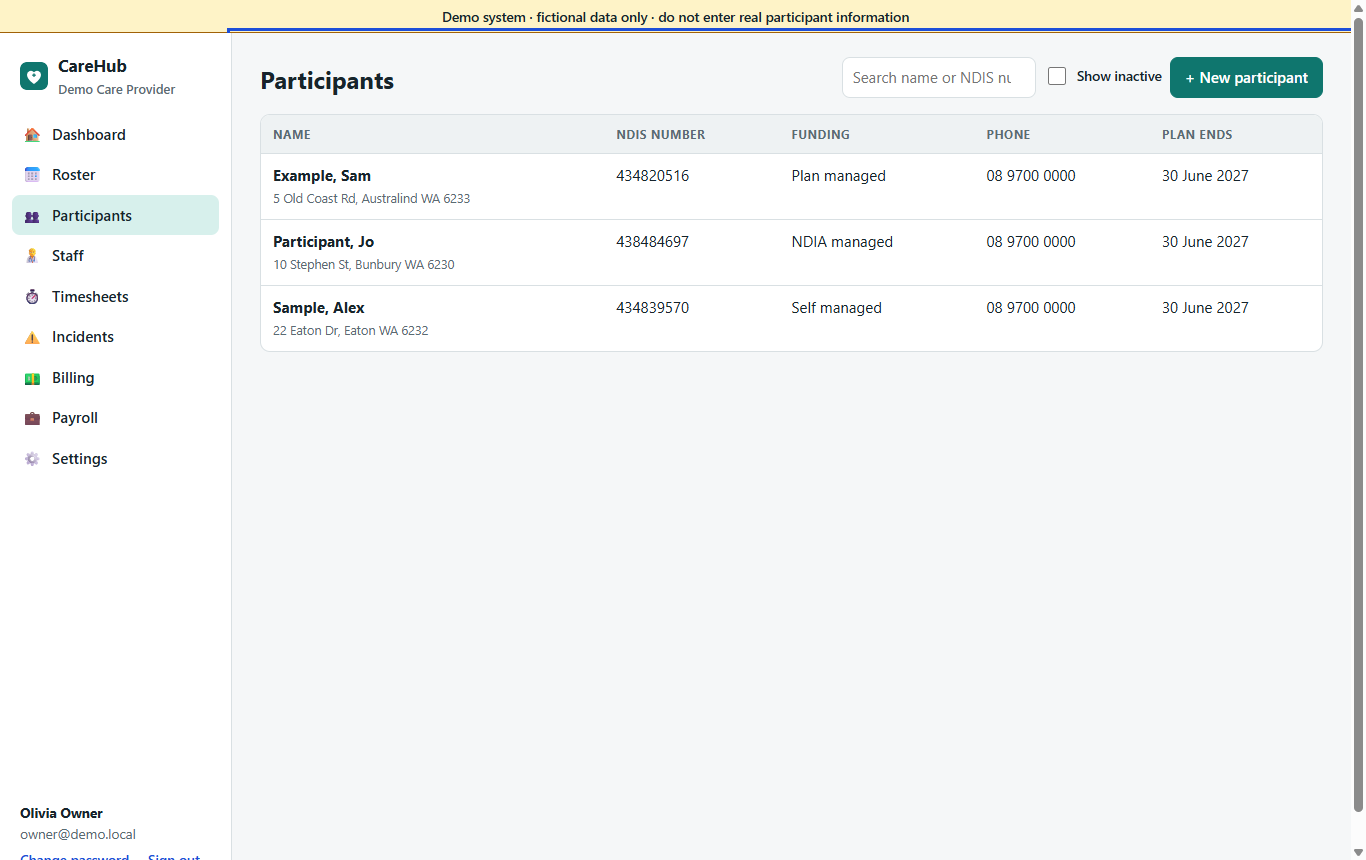
- Held back, not guessed: a missing price, NDIS number or plan manager email keeps that participant out of the run, with the reason shown.
See an overspend coming weeks before it happens
- NDIS plans with a budget per support category and how each is managed.
- Funding periods per category, with unspent funds rolling into the next period.
- Invoiced, delivered but not yet invoiced, and already rostered, per category and per period.
- A forecast of when each category runs out, with the arithmetic on screen, and alerts when a plan is ending or ended with work still unclaimed.
- An optional check when a shift is saved: it names the shortfall and asks for a reason, or refuses the shift.
Agreements, payments and follow-up
Quotes and service agreements
Quotes priced from the price list and checked against the budget. Accepting one makes the agreement, with a clause checklist, on-screen signing and a review date.
Payments and credit notes
Record part or full payments; reverse lines with a credit note. An issued invoice never changes.
Recurring charges
Weekly or monthly fixed items, such as a SIL accommodation contribution, picked up by the next billing run.
Invoice reminders
Overdue invoices by age, reminder letters at three levels to print or save as PDF, and a history of every reminder.
Your logo, your layout
Your logo and invoice footer on invoices; an issued invoice keeps the layout it was issued with.
Other payers
Invoice NDIS funding, the participant privately, or (with allied health) a third party with its own price list.
Three ways out, depending on who pays
NDIA-managed
A claim batch: a preview of what goes in and what is left out (with the reason), and a file in the NDIA's bulk upload format for the my NDIS provider portal. Import the portal's results and each line is marked paid, capped or rejected; fixed lines go into a new file.
Plan-managed
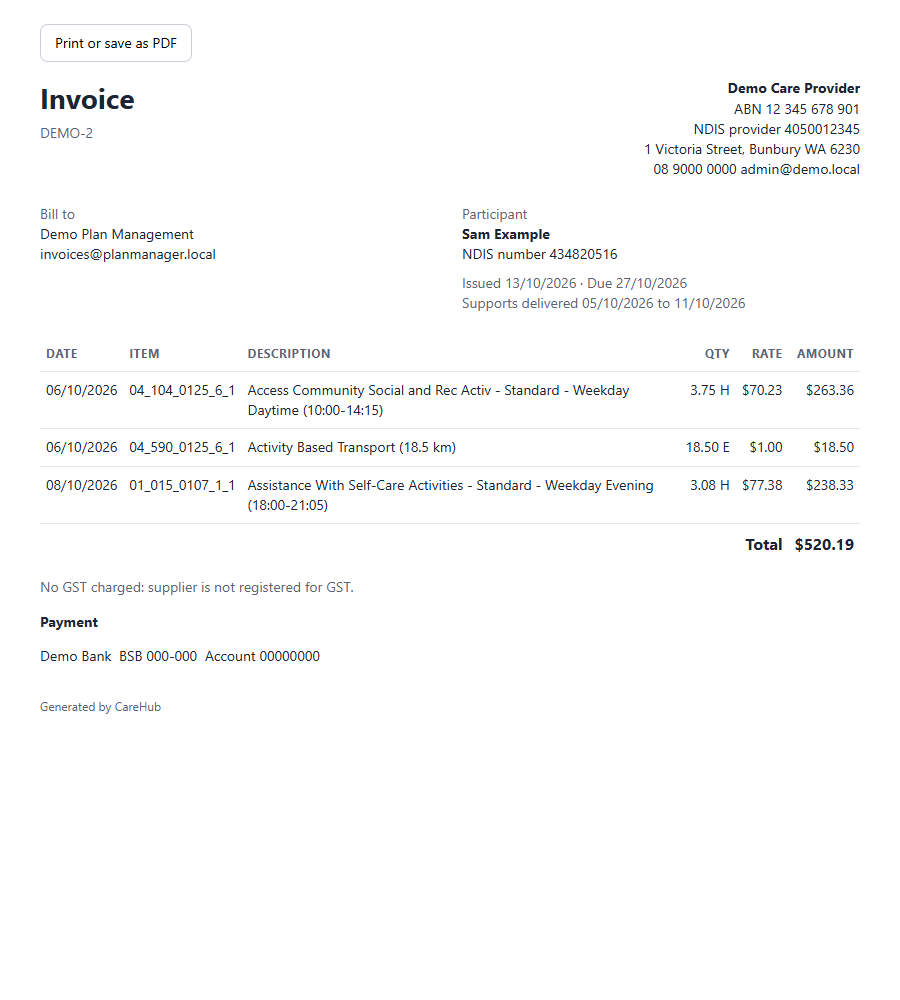
A clear, printable invoice addressed to the plan manager, with the participant's NDIS number and item lines.
Self-managed & private
The same invoice addressed to the participant, with payments recorded against it and a statement in the family portal.
Accounting files
Export invoices and credit notes for Xero, QuickBooks Online or MYOB AccountRight, with account and tax codes chosen by rule and up to two tracking dimensions. A preview lists anything skipped and why, and an invoice already exported is flagged before it goes twice.
Find the money you are missing
One list of what is quietly lost: visits delivered but not invoiced, missing prices, rejected claims not resubmitted, billable cancellations not billed, km not billed. Each with an estimated amount.
Shift costing and margin
Each delivered shift's cost (the calculated award pay plus the on-costs you enter) against its revenue, by participant, service and month, without showing anyone's pay rate.
Aged care in the home, billed the way it works
- Each service gets its Support at Home service type and your own price.
- Each participant's classification and contribution rates, entered from the Services Australia notice, dated.
- A quarterly budget with the rollover worked out and explained.
- The participant's invoice is for their contribution only.
- A monthly statement with the contents the rules require, empty months included.
- A claim-lines file of the government amounts for your claiming channel.
What billing doesn't do
| Not included | What happens instead |
|---|---|
| Claim submission through the NDIA's API | Upload the claim file in the my NDIS provider portal and import the results. |
| Support at Home claiming with Services Australia | Use the claim-lines file in your own claiming channel. |
| Emailing invoices or documents | Print or save as PDF, or send from your accounting package. |
| Live sync with accounting packages | Import the export files. |
| Card payments | Record payments received elsewhere against the invoice. |
See a full billing run
The demo includes last week's approved visits, invoices with a payment, and a pay run.