
Your team's checks, hours and pay, kept straight
From the invitation a new worker receives to the file your payroll system imports, every step uses the same records the roster does.
Onboarding, checks and training in one place
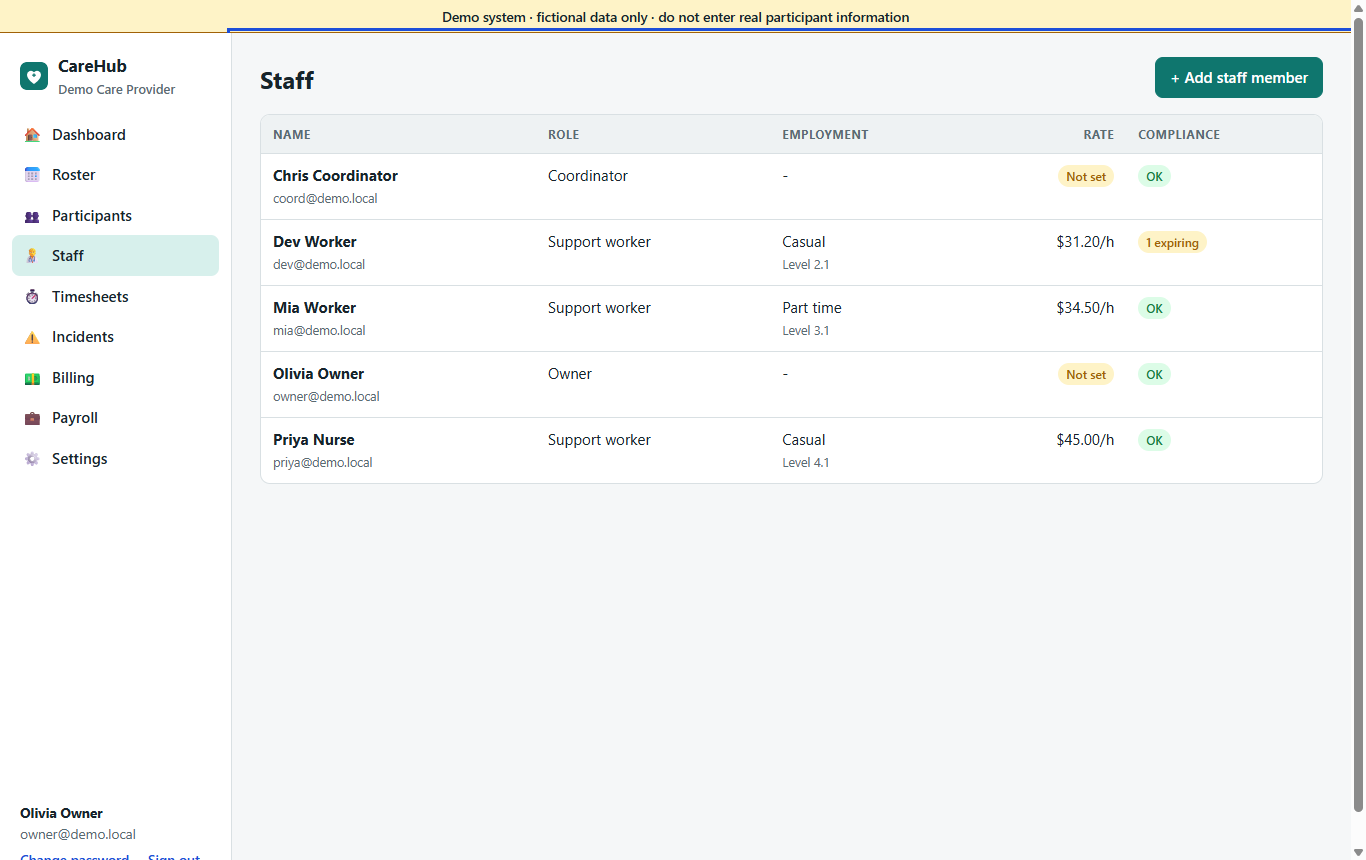
- Staff records with employment type, award stream and classification, and the payroll system's employee id; bulk updates with a preview; import from CSV or a spreadsheet.
- Onboarding by invitation: the new worker fills in their own details, check numbers and availability and sets their own password; the office approves or asks for changes.
- Checks: your own check types with validity and renewal lead times; suspensions and bars; verification; renewals kept as history, never deleted.
- A mandatory check that has expired blocks rostering, offers and suggestions for that worker. Anything expiring soon shows on the dashboard.
- Training: courses, records with hours and expiry, assignment, and a matrix of who is due. A course can prove a check, such as first aid.
- A report of who worked on a given day and the state of their checks that day.
Availability, leave and the jobs around them
Availability
Weekly patterns including overnight slots, one-off exceptions, a history of each pattern, a part-time worker's agreed hours, and a grid showing where cover is thin.
Leave
Leave types following the National Employment Standards; decisions recorded with who made them; approval lists every affected visit and releases them to be filled. Balances imported from payroll, with estimates labelled as such.
Tasks
Office tasks with an owner, a due date and a link to the record. CareHub creates some itself, such as a check to renew, and closes them when the event resolves.
Documents
Categories, versions, archive instead of delete, access rules per kind of record, uploads from workers that wait for the office, and policies to read and confirm.
Team messaging
Conversations between staff and with the office, kept as records, and a list of worker messages waiting for a reply.
Meetings and blocked time
Team meetings, supervision, admin blocks and out-of-office time on the calendar, without fake participants.
A pay run your payroll officer can check line by line
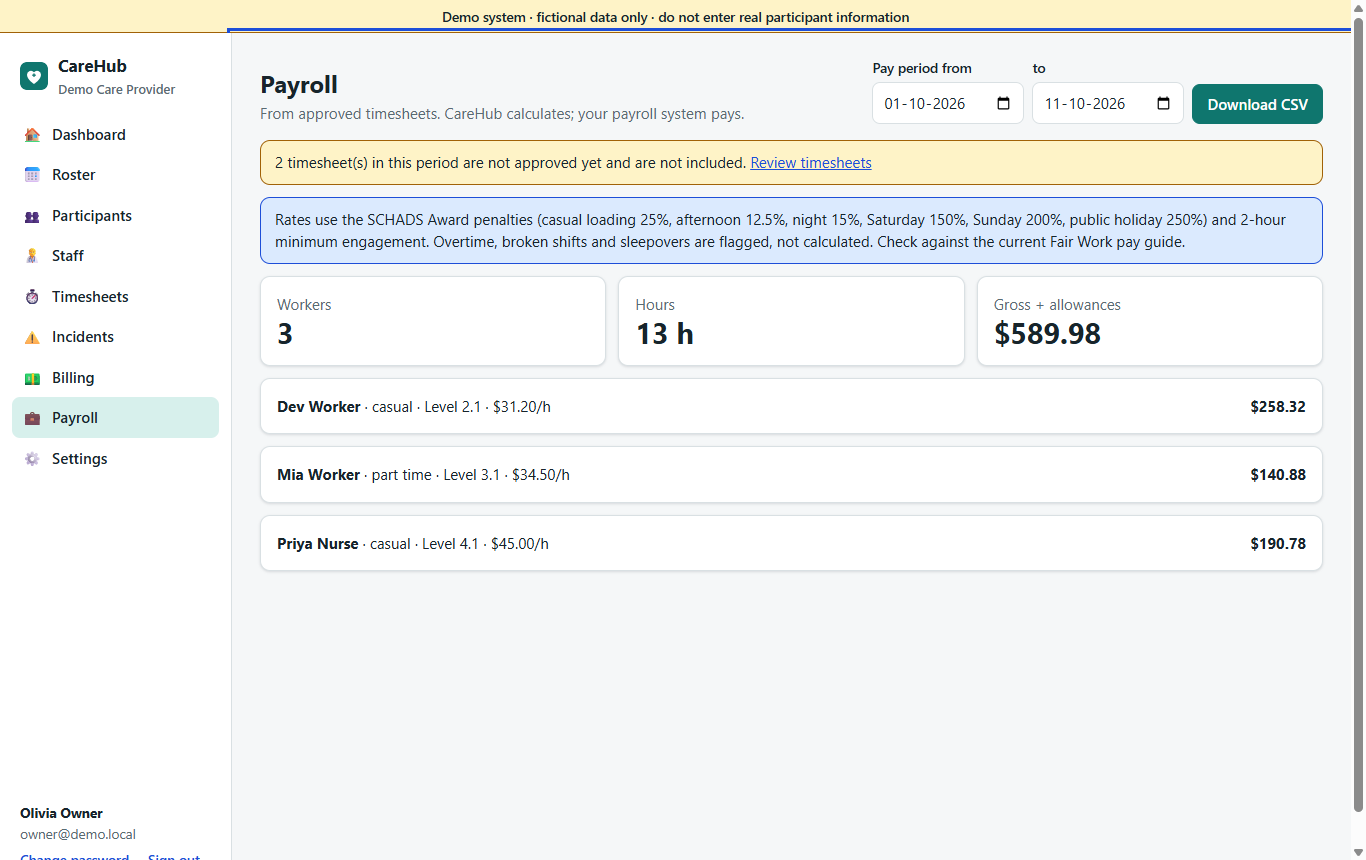
- Casual loading, afternoon and night shift loadings for shiftworkers, and Saturday, Sunday and public holiday penalties, split at midnight when a shift crosses days.
- Overtime as the award sets it: beyond 10 hours in a shift, beyond 38 hours a week (or 76 a fortnight), and a day worker's time outside 6 am to 8 pm.
- Minimum engagement by award stream, broken-shift allowances, sleepover allowances, and km and approved expenses.
- Pay rates with the date they start, so a July increase never rewrites earlier pay runs.
- Every line names its award clause. What CareHub does not calculate (sleepover active work, 24-hour care, remote work, higher duties, client cancellations) is flagged for a person to check, not guessed.
CareHub calculates and exports; your payroll system pays. Base rates are entered from the current Fair Work pay guide, and multipliers can be adjusted if your enterprise agreement differs.
Files your payroll system can take
Once a pay period is locked, CareHub produces:
- an Employment Hero (KeyPay) times file and units file;
- a MYOB AccountRight timesheet file;
- a generic interpreted CSV;
- a Xero entry sheet to type from (Xero Payroll has no file import).
Each pay category maps to your payroll system's own code. While anything is wrong, the file is refused with every problem listed: a partial import is worse than none.
What payroll doesn't do
| Not included | What happens instead |
|---|---|
| Paying wages, super and STP | Your payroll system, from the export. |
| Pay slips | Your payroll system. |
| Live connections to payroll packages | Import the export files. |
| Paying meeting and training time through the pay run | Recorded in your payroll system by hand. |
See a pay run
The demo has workers with checks, availability, a leave request, a new starter waiting for review and a calculated pay run.